
What is Microsoft Excel?
Top Excel Formulas and Functions Every User Should Know are the backbone of Microsoft Excel, a powerful spreadsheet software developed by Microsoft. Excel is used worldwide for organizing, analyzing, and managing data efficiently. It works in a grid format consisting of rows and columns, where each intersection is called a cell. Users can input numbers, text, and formulas to perform calculations automatically.
Learn the Top Excel Formulas and Functions Every User Should Know to improve productivity and data management skills. This complete guide explains what Microsoft Excel is, how to use it step-by-step, and covers essential formulas like SUM, IF, VLOOKUP, COUNTIF, and more. Discover important Excel keyboard shortcuts to save time and work efficiently. Whether you’re a beginner or an advanced user, this article will help you understand Excel functions, perform calculations, and analyze data easily. Master Excel today and boost your professional skills with these must-know formulas and tips.
Why Excel is Important
- Helps in data organization
- Performs complex calculations quickly
- Used in offices, schools, and businesses
- Creates charts and reports
- Saves time and improves accuracy
Table of Contents
How to Use Excel (Beginner Guide)
Step 1: Open Excel
Start Microsoft Excel and open a new workbook.
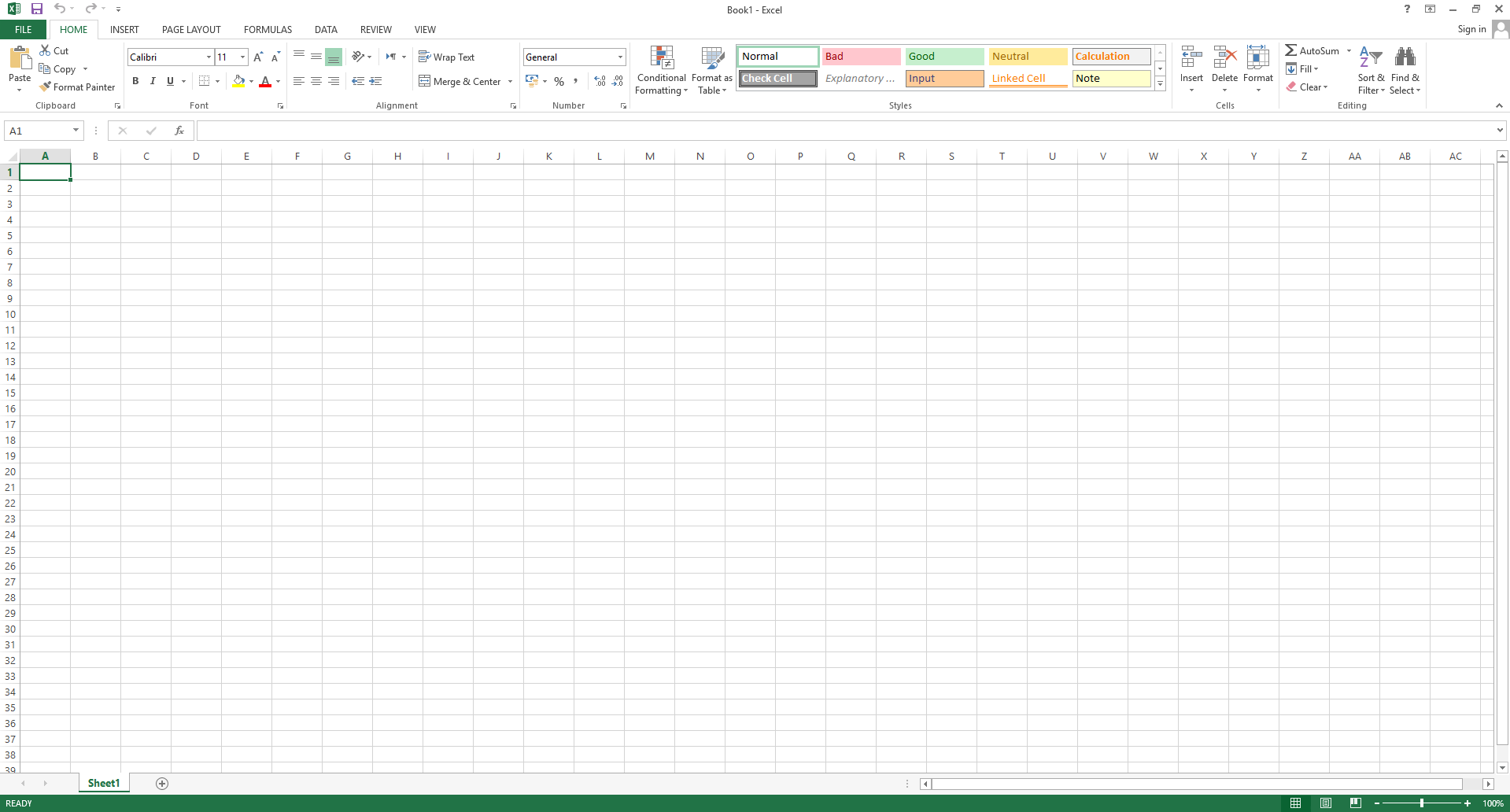
Step 2: Understand the Interface
- Rows are numbered (1,2,3…)
- Columns are labeled (A,B,C…)
- Cells store data
Step 3: Enter Data
Click on a cell and type your data.
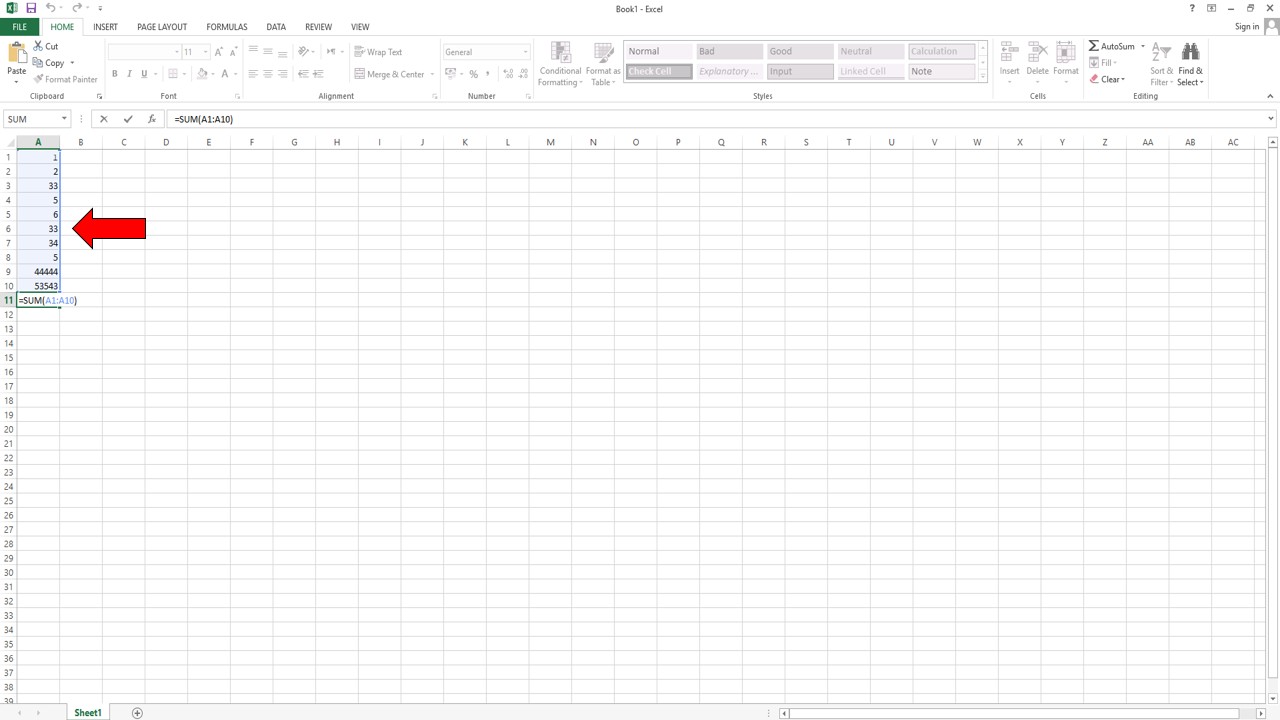
Step 4: Use Formulas
Always start formulas with =
Example:
=A1+A2
Step 5: Save Your Work
Press Ctrl + S to save your file.
Top Excel Formulas and Functions Every User Should Know
1. SUM Function
Adds numbers in a range.
Example:
=SUM(A1:A10)
2. AVERAGE Function
Calculates the average value.
=AVERAGE(A1:A10)
3. IF Function
Applies logic based on conditions.
=IF(A1>50,”Pass”,”Fail”)
4. COUNT Functions
- COUNT → Numbers only
- COUNTA → Non-empty cells
- COUNTBLANK → Empty cells
5. COUNTIF / COUNTIFS
Counts based on conditions.
=COUNTIF(A1:A10,”>50″)
6. SUMIF / SUMIFS
Adds values based on conditions.
7. VLOOKUP Function
Searches for values in tables.
=VLOOKUP(A2,B1:C10,2,FALSE)
8. MAX and MIN
Find highest and lowest values.
9. CONCAT Function
Combines text from multiple cells.
10. LEFT, RIGHT, TRIM
Used for text formatting and cleaning.
11. Logical Functions
- AND
- OR
- XOR
12. Statistical Functions
- MEDIAN
- MODE
- STDEV.P
- STDEV.S
13. RAND Function
Generates random numbers.
14. NPV Function
Used in financial calculations.
Important Excel Keyboard Shortcut Keys
Using shortcuts in Excel can save a lot of time and improve efficiency.
Basic Shortcuts
- Ctrl + C → Copy
- Ctrl + V → Paste
- Ctrl + X → Cut
- Ctrl + Z → Undo
- Ctrl + Y → Redo
- Ctrl + S → Save
Navigation Shortcuts
- Ctrl + Arrow Keys → Move quickly
- Ctrl + Home → Go to beginning
- Ctrl + End → Go to last cell
Formatting Shortcuts
- Ctrl + B → Bold
- Ctrl + I → Italic
- Ctrl + U → Underline
Formula Shortcuts
- Alt + = → AutoSum
- F2 → Edit cell
- Ctrl + ` → Show formulas
Selection Shortcuts
- Ctrl + A → Select all
- Shift + Arrow Keys → Select multiple cells
Advanced Shortcuts
- Ctrl + Shift + L → Apply filters
- Ctrl + T → Create table
- Ctrl + Shift + “+” → Insert cells
Benefits of Using Excel Functions
- Automates calculations
- Saves time
- Reduces human errors
- Improves productivity
- Helps in data analysis
Watch Full MS Excel Video
SUBSCRIBE TO MY YOUTUBE CHANNEL TECH LEGACY
Tips to Learn Excel Faster
- Practice daily
- Use shortcut keys
- Learn formulas step-by-step
- Watch tutorials
- Work on real data
FAQs Frequently Asked Questions
What are the most useful Excel formulas?
SUM, IF, VLOOKUP, COUNTIF, and AVERAGE are the most commonly used formulas.
Is Excel easy to learn?
Yes, with practice and basic knowledge, anyone can learn Excel.
Why are shortcut keys important in Excel?
They help save time and increase productivity.
Conclusion
Learning the Top Excel Formulas and Functions Every User Should Know is essential for anyone who works with data. Excel is a powerful tool that can simplify complex calculations, organize data efficiently, and improve productivity. By mastering formulas and shortcut keys, you can work faster and smarter. Whether you are a beginner or an advanced user, practicing these functions regularly will help you become an Excel expert.
Pingback: How to Fix All Printer Printing Problem in Windows 11